I have a new favorite coding font
2 min read
Maple Mono is free, easy to read, has ligatures, and most importantly is incredibly cute.
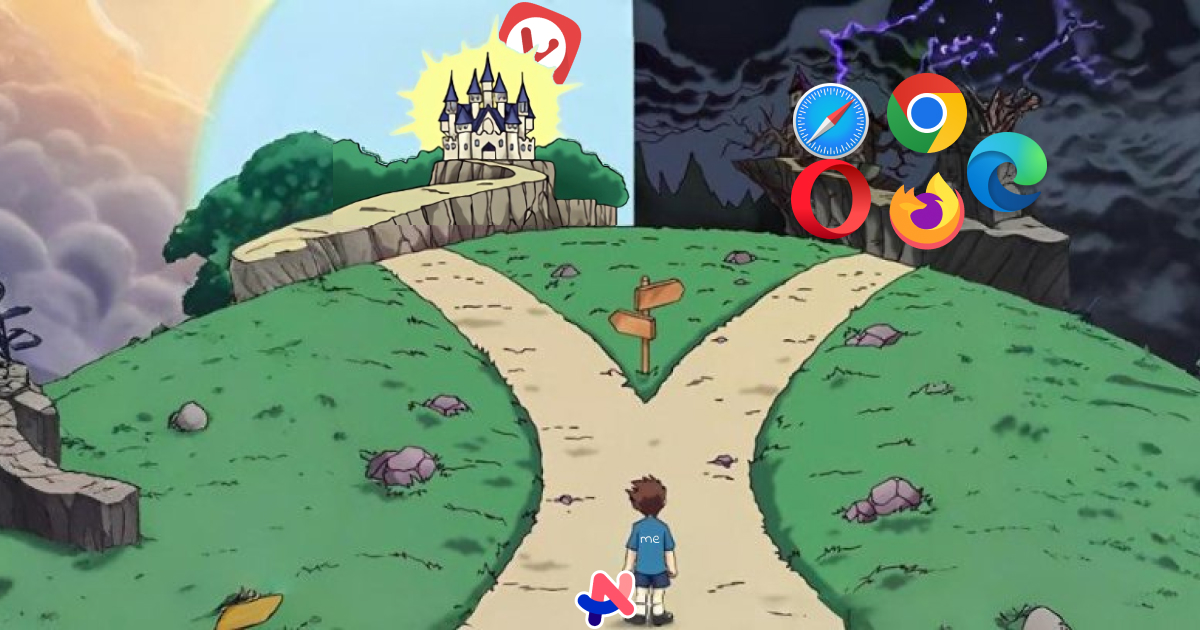
I’ve been a happy Arc user since 2022. It’s well-designed, significantly improved how I use a web browser, works well, and has (had) a team of passionate and talented people behind it that frequently pumped out some nice, weird, fun ideas. However, lately I’ve been trying to find a good replacement for it and got reminded of how hard it is to find a good option for a browser.
Well, Arc has gathered a considerably big user base, and more importantly, a user base that loves the product. However, it’s always been free. You know what that means, right? It means the company operates at a loss, surviving off of VC money. And they have to pay that debt off eventually.
Personally, I’d be very happy to pay a subscription for Arc, and I know a lot of people would do so too. It’d be a far healthier business model, even if it meant the product would evolve more slowly. But you see, once VC money comes in, everything scales considerably. A loyal paying user base is not enough; you need to shoot for the stars or you fail.
Most tech companies go through this exact same route; and when they need to start paying off that debt, they enshittify; their product becomes a shadow of what it once was because it now needs to squeeze as much money as possible at every opportunity.
With Arc though, that never happened. They did some experiments with “Arc Max”, the AI offerings inside the browser, but the browser itself never got enshittified. Thankfully, I guess, it only got put aside. Arc is now no longer under active development, and is instead just receiving Chromium updates and security fixes.
My theory is that they figured out that they’d never be able to monetize a niche web browser as much as they needed, and just gave up on the product. And started working on Dia, an “AI-first browser” (that’s pretty much dead on arrival because everything it does is already being done by the big ones).
So, while Arc is still as good as it ever was, I know it’s not gonna be long before it’s sunsetted and stops getting Chromium updates. I’m trying to get a bit ahead and find a replacement to dip my toes in before I’m forced to make the jump.
Yes, I am especially picky with the software I use. But hey, I make a living on web browsers (and a lot of my hobbies also take place inside one), so I’m allowed to care this much about it, mkay?
When we're talking web browsers, we have three "families", defined by the three major browser engines available on the market:
As a web developer and just someone that likes the web, I have a strong dislike for the WebKit engine, so using it willingly is just not for me.
Firefox has a really cool mission in theory (Mozilla sucks as a company though), but has been notoriously slow at adopting new web standards and has been behind even Safari lately (perhaps it has something to do with Mozilla forgetting what a web browser is for?). I love learning new things and implementing them on my work (with Progressive Enhancement, always), so it'd suck to be unable to learn new things because they don't work on my browser of choice.
If the browser engine isn't a dealbreaker for you, Zen browser is aiming to be pretty much a carbon copy of Arc, and it's open source!
Which leaves me with Chromium-based browsers. Chrome, Edge and Opera are spyware (Edge has some cool features though) and Brave is owned by a bigot; leaving Vivaldi as the only real option in there.
Vivaldi was founded by the same people who worked in the original Opera browser, back in the 90s. Since Opera was sold and became a shadow of its former self, Vivaldi was created to try and fill in the power-user-shaped gap in the browser space.
It's Chromium-based, built in Europe, and seems to be very privacy-friendly, with a "make the web better" mission similar to Mozilla. Sadly, it's not open source, so these claims are not verifiable.
It's main selling feature is being extremely customizable, both visually and in how you use it.
I had already tried Vivaldi out in the past, but it never stuck the landing for me. I don't really need extreme customizability, I prefer a thoughtfully designed UX instead. Which is why Arc appealed to me in the first place. But since no other options feel like they'd appeal to that preference, I wanted to figure out if I could either mimic my Arc workflow in Vivaldi or maybe settle for a middle ground that I could adapt to.
I figured I'd start by thinking exactly what I liked about Arc:
With that in mind, let's analyse Vivaldi on three criteria: The Looks, The Clacks, and The Tabs.
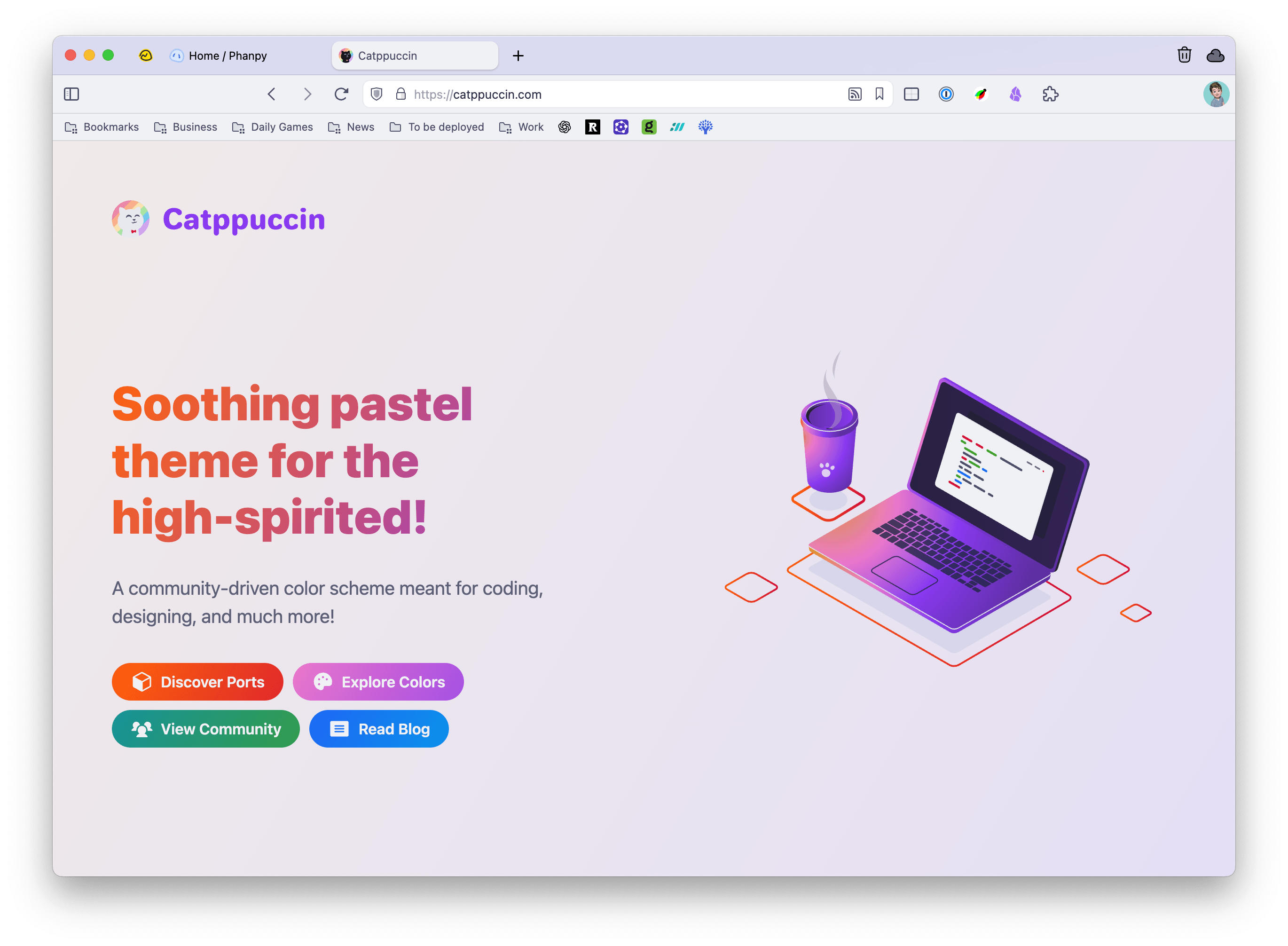
This is the Achilles' heel of Vivaldi, in my opinion. It doesn't look bad, but it's far from being as good-looking as Arc is. Some of what Arc does is just not doable (since Vivaldi doesn't use macOS' native technologies to build its UI), and the focus on customization means a lot of compromises have to be made. That being said, some tweaks here are there made it look kinda good.
I'm using a Catppuccin theme because I like the color palette (it's the same as this website) and used the sliders in the Theme editor to tweak colors, radii, and spacing a little bit.
(as in the sound a keyboard makes)
After thinking about it, the command-palette-thing as a replacement for the new tab is Arc's unsung hero:
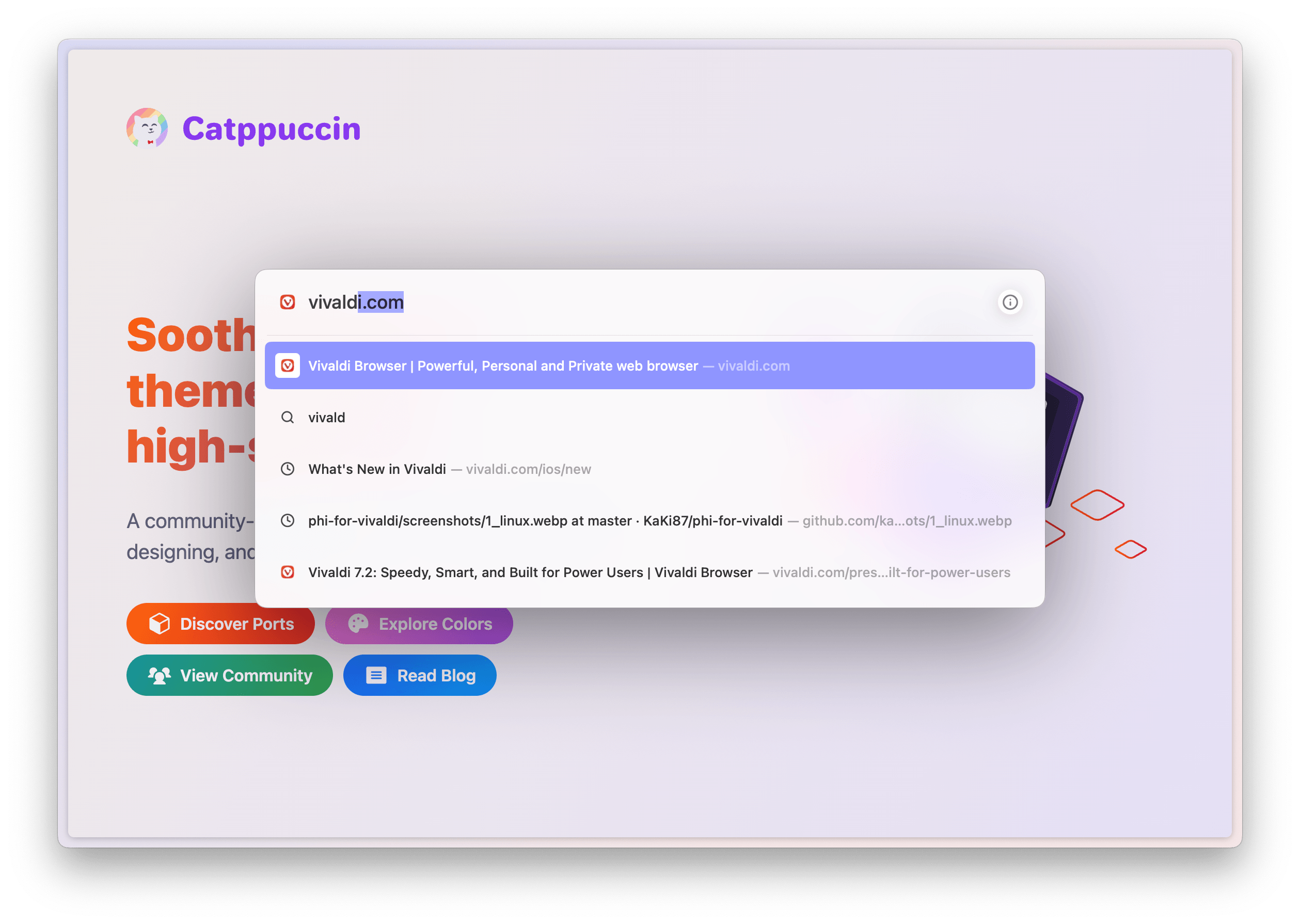
It's so elegant; it works well, it's fast, it doesn't get in your way, it keeps your current context in view, and it's keyboard-centric. After three years of using it every day I barely paid any mind to it, but trying to use a browser without it was a revelation. I didn't know how good it was until it was gone.
You wanna know something cool? Vivaldi has it, too! It's not as elegant visually, but it works just as well! It's called "Quick Commands", and by default is accessed with cmd+e (on a Mac).
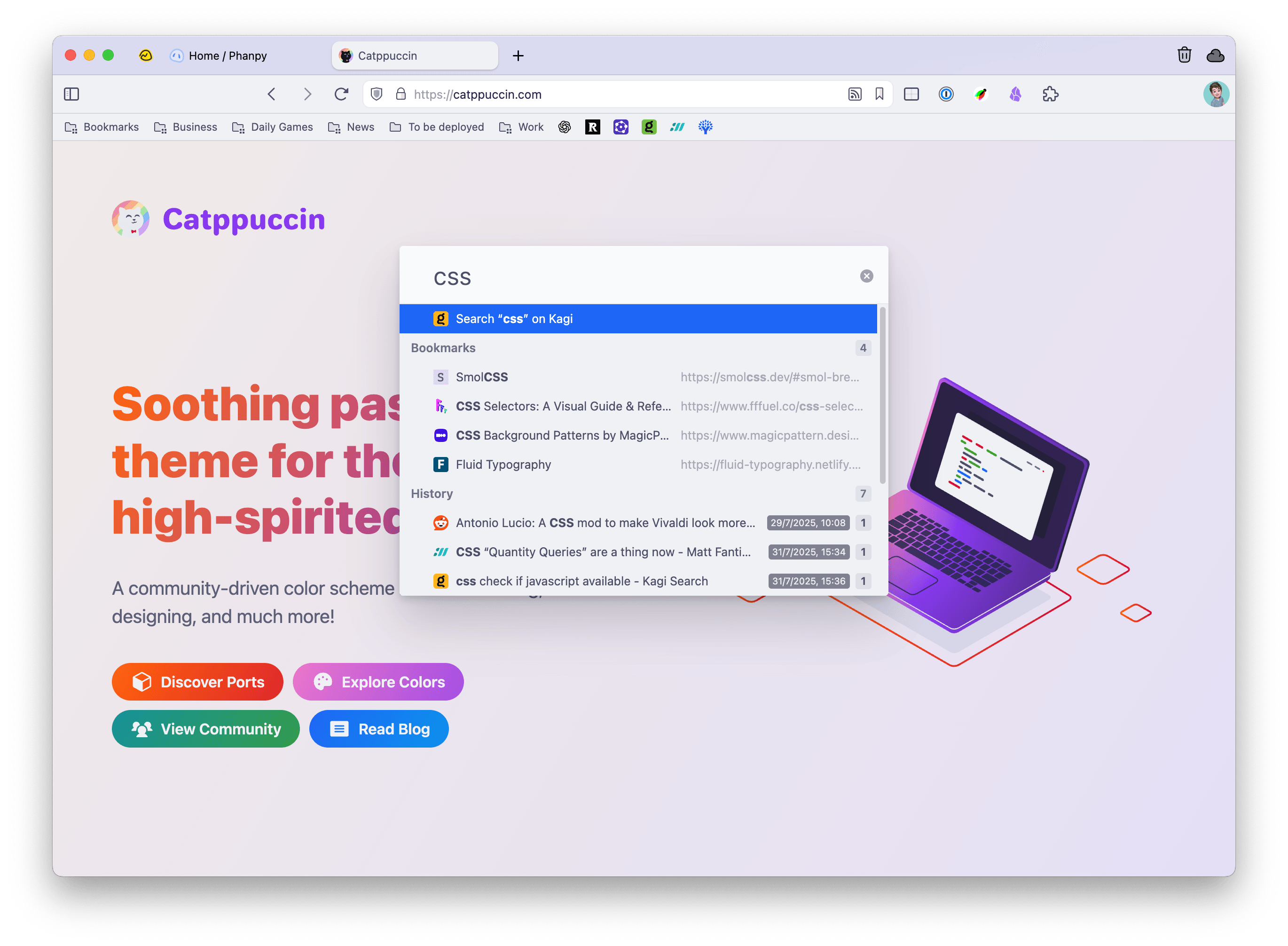
My muscle memory was using cmd+t (new tab) to open the command palette though, so I remapped it to that shortcut. A small issue was that, by default it opens URLs in the same tab you're currently in, but hey, Vivaldi has a toggle for everything! A quick look into the Quick Command settings presented me with a beautiful "Open Links in New Tab" checkbox.
The main thing you notice when you start using Arc: the tabs are on the left! And they're displayed vertically!
Vivaldi, of course, allows you to do just that. You can keep your tabs on the top, like all the boring kids do; you can put them on the left or right if you're cool, or you can even put them in the bottom of the window if you're all about breaking society's expectations.
Putting them on the left was the first thing I did. Here's how it looks:
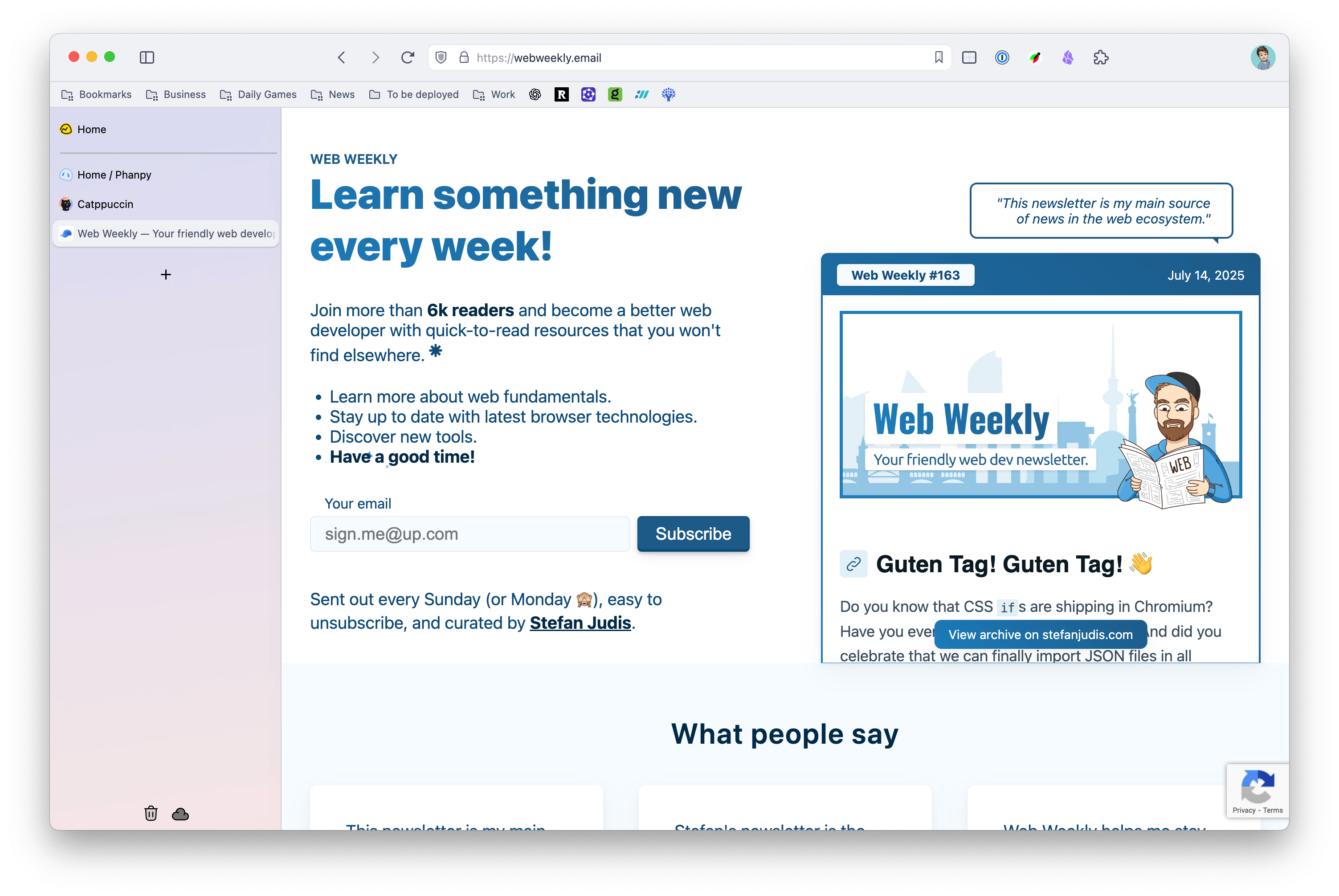
You immediately notice that while the tabs are now indeed on the left, they don't look right (hah!). The address bar and bookmarks are still on the top and take up a lot of space, and there's just... something missing in there. No folders, no spaces, they don't feel as clickable, I'm not sure how to explain it. It's not fully collapsible like Arc's, but you can drag it to make it small enough that it only shows the favicons.
This annoyed me because I couldn't build an exact replica of my Arc workflow, initially. The lack of spaces so I could properly separate my work and personal tabs was almost enough to make me give up on using it. But I found out about the Tab Stacks.
Tab Stacks are available in Chromium and have existed for a while now. It basically allows you to group tabs together manually, assign them a color, and collapse/expand that stack like an accordion. However, in Vivaldi they have a (optional) much better UI. Instead of expanding to the sides, they just expand into a second level of tabs.
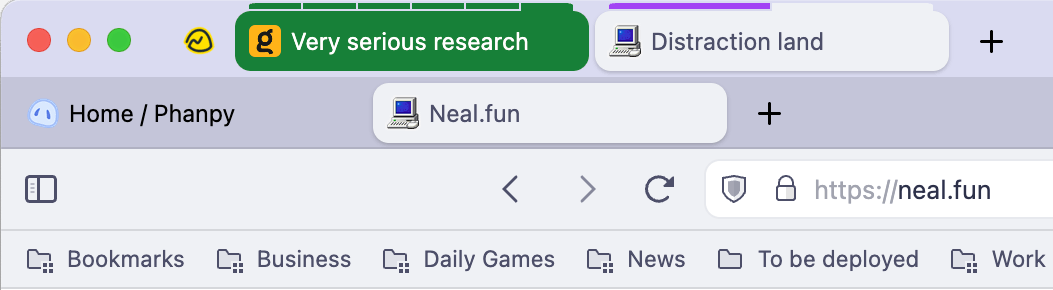
Surprisingly, this approach aligns much better with how I like to manage my tabs than Arc's ever did! Very often at work I have to put whatever I'm working on on hold and quickly jump into something else for a few minutes. Being able to just stack relevant tabs together and hide the irrelevant ones makes tab management much less overwhelming.
With Arc, if I had to context switch like this, I'd often get the tabs mixed up (creating a separate space for it meant I lost the important tabs pinned to my general "Work" space). With Tab Stacks, going back to that context is just a click away, and the tabs reappear at the second level of tabs.
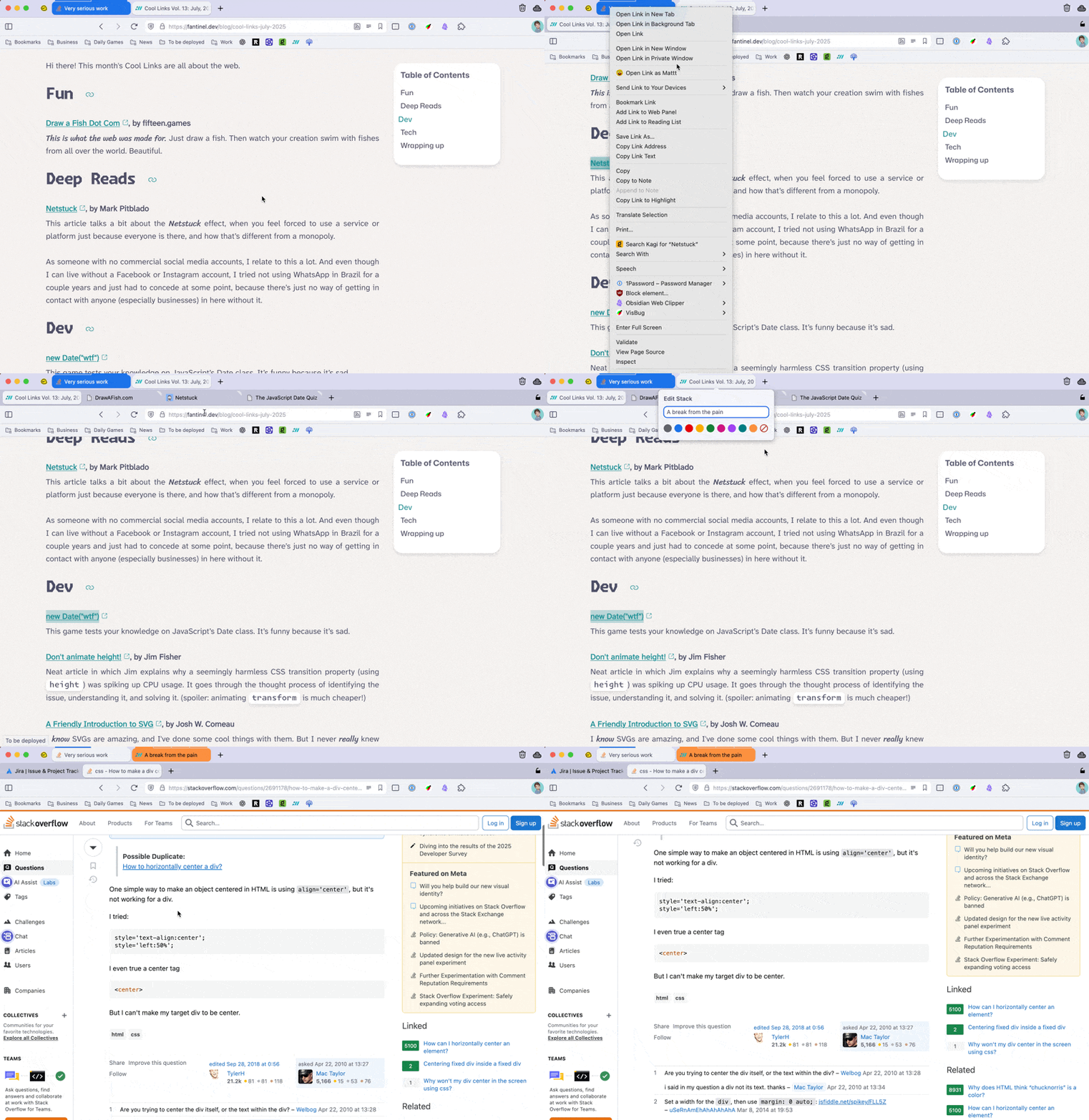
Something that makes Tab Stacks even better though: a checkbox in Vivaldi Settings that makes all tabs opened from within other tabs to spawn in a stack. Or, as I'd like to call it, the Portable Rabbit Hole setting.
Let's say you're enjoying a short break and reading the latest post of Cool Links on a beautiful website. There are so many links to click on and so many tabs to open, but you need to get back to work in 10 minutes and those tabs will get lost amidst the Jira tickets. Well, with your Portable Rabbit Hole, you no longer have that problem!
All the tabs you've opened by clicking on those cool links will be neatly stacked together so you can come back to them later. You can even add some color and a name to that stack if you want.
Yes... and no.
I've been using Vivaldi pretty much daily for about a month now, and using Arc less and less. But I still miss it sometimes. So I've had a few days where I "relapsed" and went back to Arc for a bit.
And then something weird happened. The Arc workflow became weird to me again. Something about having bookmarks mixed together with open tabs started feeling weird. The loss of Tab Stacks also felt like a downgrade.
It's funny how I was so afraid of not being able to get used to a "normal" browser after so much time using Arc, and now I got so used to Vivaldi that Arc became weird again. It's still nice to use though, and I might use it as my main browser again if I feel like it.
In the end this just makes me feel better that when Arc inevitably dies, I'll just handle it and everything will be fine. No point in not enjoying it now while I still have it.
I have a new favorite coding font
2 min read
Maple Mono is free, easy to read, has ligatures, and most importantly is incredibly cute.
The best Mastodon client now has an iOS version!
7 min read
Meet iPhanpy, the best way to use Phanpy on iOS.
My Default Apps: 2025
2 min read
Updated list of my apps of choice for daily activities!
A Madman's Ramblings on Craft and Obsidian
4 min read
Why won't my brain ever give me a break?