Developing an Animal Crossing companion app with Ionic
13 min read
No bells were spent while building this app.
Recently, I've converted my Angular 6 app into a PWA, allowing it to work offline and work like a native app on phones and desktop.
Although there are many tutorials out there about turning Angular apps into PWAs, I've decided to write one simply because I faced some issues that were a bit hard to solve, so if you end up having them you don't lose as much time as I did!
This tutorial assumes you are using Angular CLI. Possible issues are listed at the end of the tutorial.
This is the easiest part. Run ng add @angular/pwa in the root of your project (the folder where package.json is. The CLI will automagically add @angular/pwa and @angular/service-worker as dependencies in your package.json file, and add some placeholder icons in your assets folder.
Besides that, it will create a file named ngsw-config.json in your root folder, as well as a manifest.json in your /src folder, and reference both in index.html and app.module.ts. These files are important as you'll be using them to configure your PWA later.
The manifest.json file is the one that tells the browser/OS about your app. You can set the full and short names, theme color, icons, and more. You can find more about its settings here.
Don't forget to update the auto-generated icons on /assets/icons folder! These are necessary so that your app icon shows up for devices of all DPI settings.
This file is the one that can configure how your PWA works. You can set up different installation behaviors, as well as handle cache updates. The Angular documentation has got all options covered here.
If you want to test out your app's new PWA capabilities locally, ng serve won't help you. Instead, you can run a web server in your machine easily by installing the http-server package from npm:
npm i http-server -g
Then, compile your app in production mode:
ng build --prodAnd finally, start the web server:
http-server -p 8080 -c-1 dist/<project-name>
Your app should be up and running on http://localhost:8080/ (or whichever port you chose). How do you know it's a PWA? There are a few ways:
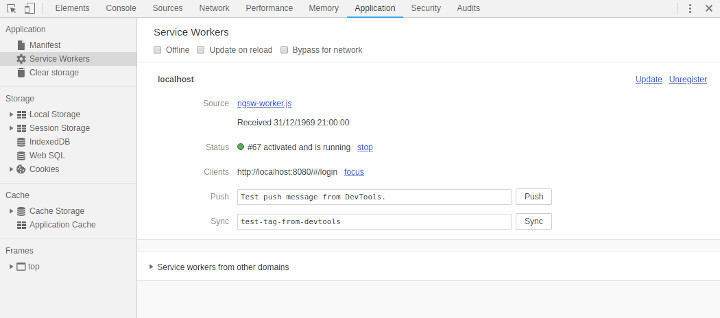
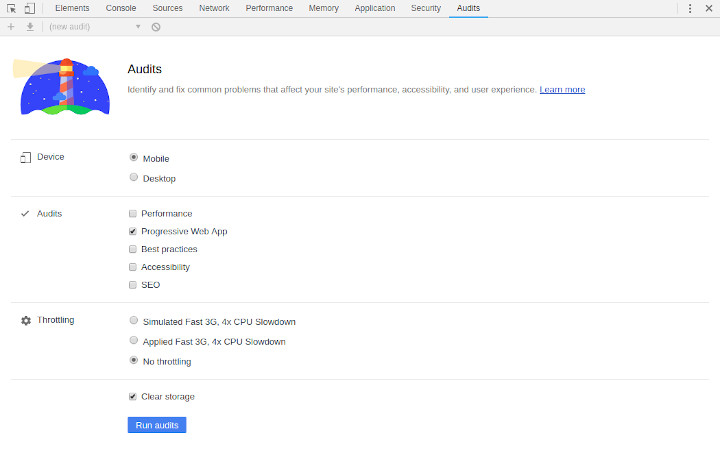
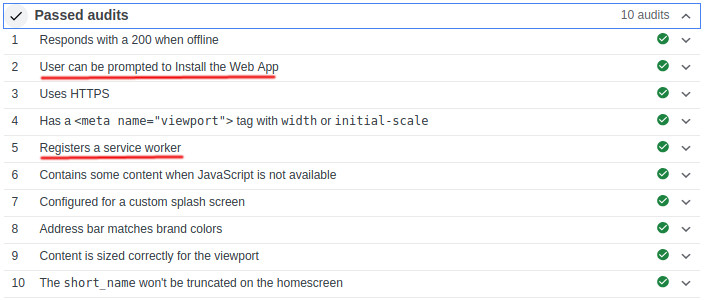
You may see some errors regarding the app not running over HTTPS. Don't worry, that's only because it's running locally.
On Chrome/Edge, you may also see the option to install the app appear in the URL bar:
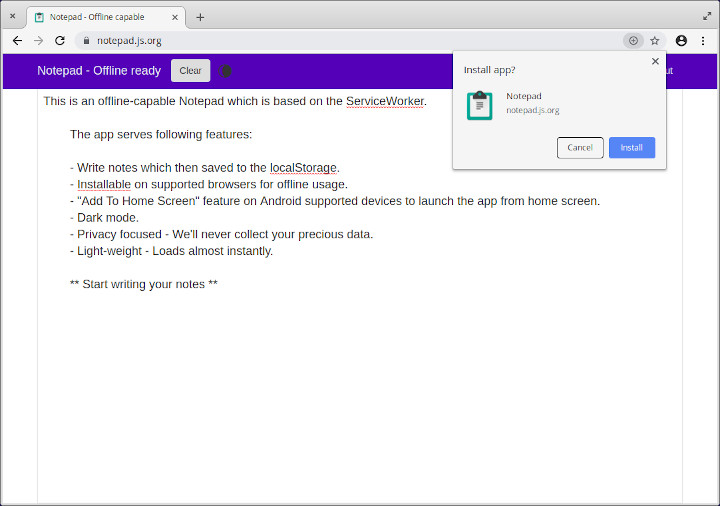
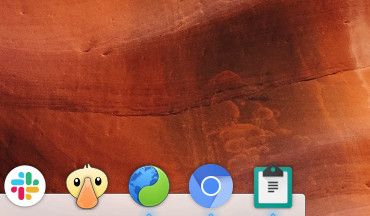
After this, the app should already open on a separate window, and show up on your OS's installed apps list!
Even though the proccess is quite straight-forward, I still faced some issues when running it in my app. They were because of Angular tools versions, and I probably had these issues because I'm still running an Angular 6 app (and Angular 7 is out as of now).
ng add @angular/pwa command doesn't create relevant files This was a reported bug on the CLI. I had a bugged version (6.0.8) installed on my app. I updated it by running:
npm uninstall @angular/cli --save
npm install @angular/cli@latest --save
It updated itself to version 7.1.4 and worked flawlessly.
Notice: this is related to the local cli version, the one displayed on your package.json file, not the global one installed in your machine.
This error shows up on the browser console after opening the app running on http-server. It happens because, when running ng build --prod, Angular isn't sending the service worker's files along with the ones from the app. You can confirm this by searching for the ngsw-worker.js file on the /dist folder of your app. If it's not there, then you have this issue.
This one took me the longest to find out. Another bug related to outdated versions of Angular tools. Simply changing @angular-devkit/build-angular version in devDependencies to ~0.10.0 solved it.
I hope you had success on setting up your PWA! Remember that, when published, it will only work if you serve your app through HTTPS.
Thanks for reading!
Developing an Animal Crossing companion app with Ionic
13 min read
No bells were spent while building this app.
Micro Frontends: Solving the Legacy JavaScript Problem
9 min read
Finally a way to modernize that legacy project you keep complaining about!
Setting up Storybook on an Astro project
7 min read
I really, really thought this was gonna be easy.
Automating Social Media Preview Images
6 min read
Social media preview images are very useful if you want to attract people to your website. They're sometimes a pain to create, though. Let's automate it!